<?xml version="1.0" encoding="utf-8"?><feed xmlns="http://www.w3.org/2005/Atom" ><generator uri="https://jekyllrb.com/" version="3.10.0">Jekyll</generator><link href="https://mig8447.github.io/feed.xml" rel="self" type="application/atom+xml" /><link href="https://mig8447.github.io/" rel="alternate" type="text/html" /><updated>2026-05-21T01:30:48-06:00</updated><id>https://mig8447.github.io/feed.xml</id><title type="html">Tales of a Developer</title><subtitle>A blog about mig8447&apos;s day to day learning in the world of software development</subtitle><author><name>Miguel Sánchez Villafán</name></author><entry><title type="html">CLI, REST, or MCP: Which, when, and why?</title><link href="https://mig8447.github.io/ai/2026/05/20/cli-rest-or-mcp-which-when-and-why.html" rel="alternate" type="text/html" title="CLI, REST, or MCP: Which, when, and why?" /><published>2026-05-20T00:00:00-06:00</published><updated>2026-05-20T00:00:00-06:00</updated><id>https://mig8447.github.io/ai/2026/05/20/cli-rest-or-mcp-which-when-and-why</id><content type="html" xml:base="https://mig8447.github.io/ai/2026/05/20/cli-rest-or-mcp-which-when-and-why.html"><![CDATA[<p>The real problem is choosing a surface that fragments the app instead of
making it easier to use.
<!--more--></p>

<h2 id="tldr">TLDR</h2>

<p>Use the simplest surface that fits the job.</p>

<!-- markdownlint-disable MD013 -->
<pre><code class="language-mermaid">flowchart TD
    Start[Do you need to script a local program?]
    Start -- Yes --&gt; CLI[Use a CLI]
    Start -- No --&gt; Rest[Do you need app-to-app integration?]
    Rest -- Yes --&gt; REST[Use REST]
    Rest -- No --&gt; MCP[Use MCP when agent-native tooling is the real need]

    CLI --&gt; CLI1[Fast to call\nEasy to debug\nNo session to babysit]
    REST --&gt; REST1[Best for inter-app communication\nStable contract\nShared by many clients]
    MCP --&gt; MCP1[Good when the agent needs tools, resources, and prompts\nBut the session and server lifecycle can bite you]
</code></pre>
<!-- markdownlint-enable MD013 -->

<ul>
  <li>Use a CLI when the agent is driving a local tool with rich command-line
  support.</li>
  <li>Use REST when the integration is between applications and the API can be
  shared.</li>
  <li>Use MCP when the agent needs a protocol-native tool surface and the
  operational cost is worth it.</li>
</ul>

<h2 id="what-mcp-actually-adds">What MCP actually adds</h2>

<p>MCP standardizes how a server exposes <code class="language-plaintext highlighter-rouge">tools</code>, <code class="language-plaintext highlighter-rouge">resources</code>, and <code class="language-plaintext highlighter-rouge">prompts</code> to a
client.</p>

<p>That is useful. It gives AI clients a common way to discover capabilities, fetch
context, and call actions without every vendor inventing its own shape. It also
folds broad APIs into task-shaped actions that are easier for a model to reason
about.</p>

<p>My problem is not the protocol idea. My problem is the operational tax.</p>

<p>In practice, a lot of MCP usage turns into this:</p>

<ul>
  <li>the agent loads a client configuration,</li>
  <li>the client starts or connects to a server,</li>
  <li>the server assumes the initial state will stay valid,</li>
  <li>the session drifts,</li>
  <li>something external changes,</li>
  <li>and now you are restarting the agent because the tool surface got stale.</li>
</ul>

<p>That is a fragile way to build a developer workflow. MCP assumes the session
state will stay valid longer than it often does. If the server depends on
internal network access, a temporary auth state, or any other condition that
can change during the session, the tool stops being trustworthy.</p>

<p>MCP still has work to do around server initialization and lifecycle
management. The fragile part is not the protocol itself; it is the stale
assumptions that accumulate over time when the server expects the session to
stay valid.</p>

<p>If an MCP layer mostly forwards to an existing API, you still pay for two
surfaces instead of one. That cost is not fatal, but it is real.</p>

<h2 id="why-clis-keep-winning">Why CLIs keep winning</h2>

<p>Models have gotten good at terminal work for a simple reason: the terminal is
direct.</p>

<p>A CLI is usually:</p>

<ul>
  <li>call it,</li>
  <li>read the output,</li>
  <li>decide what to do next.</li>
</ul>

<p>The important part is not that CLIs are stateless. Plenty of CLIs are stateful.
Docker, <code class="language-plaintext highlighter-rouge">systemctl</code>, and even tools built around Playwright can all manage real
state. The difference is that the state usually belongs to the application or
the local operator, not to the integration layer pretending to own the session.</p>

<p>That means the CLI can stay dumb while the real system keeps its own lifecycle.
You can call it again, inspect the output, and move on without asking a protocol
bridge to remember a fragile initialization contract for you.</p>

<p>That is why CLIs are such a strong fit for AI agents when the underlying
program already has a good command-line interface.</p>

<p>It is also why Playwright moved in this direction.</p>

<ul>
  <li><code class="language-plaintext highlighter-rouge">playwright-mcp</code> exposes browser automation through MCP for agent clients that
  want protocol-native tools.</li>
  <li><code class="language-plaintext highlighter-rouge">playwright-cli</code> exposes common Playwright actions like recording, generating
  code, inspecting selectors, and taking screenshots through a command-line
  interface.</li>
</ul>

<p>The CLI version is a cleaner fit for the kind of work agents do well when they
can inspect output directly and rerun commands without depending on an external
session manager to preserve state correctly.</p>

<p>That is also why terminal competence matters. Terminal-Bench exists because the
question is no longer whether models can use terminals at all, but how well
they can do it without extra glue. A year ago a lot of agents still needed
special tool-use scaffolding. Now many models can drive local programs directly,
which makes an MCP hop unnecessary for a lot of local automation.</p>

<p>That does not make MCP pointless. It means the benchmark now supports a more
specific claim: MCP is no longer the default integration point for every agent
task, but it still matters when it reduces the cognitive load of web API
surfaces that were never designed for agents in the first place.</p>

<h2 id="rest-still-matters">REST still matters</h2>

<p>REST is still the shared contract when a capability needs to be exposed to
multiple apps, services, or clients.</p>

<p>That matters because REST is where you keep the shared rules: auth, versioning,
pagination, caching, rate limits, idempotency, and the public shape of the
capability. A CLI can stay local and direct. An MCP can stay task-shaped for
agents. REST stays the thing everyone else depends on.</p>

<p>That is the stack I trust more:</p>

<ul>
  <li>the code lives in the app,</li>
  <li>REST exposes the app to other apps,</li>
  <li>CLI exposes the same logic to humans and agents on the local machine,</li>
  <li>MCP is an optional extra layer when an agent-specific surface actually buys
  something.</li>
</ul>

<p>REST does not disappear because MCP exists. If anything, MCP usually depends on
REST or on the same underlying functions that REST already reaches.</p>

<h2 id="when-mcp-is-worth-it">When MCP is worth it</h2>

<p>There are real cases where MCP is the right choice.</p>

<p>I would use it when:</p>

<ul>
  <li>the tool surface is shared across a team of agents,</li>
  <li>the server can be run as streamable HTTP and kept stable,</li>
  <li>the underlying app has a lot of functionality but a weak or incomplete web
  API for agent use,</li>
  <li>the protocol helps consolidate a lot of useful capabilities into one
  understandable interface,</li>
  <li>and the maintenance cost is justified by the reuse.</li>
</ul>

<p>Think of a huge API like Slack: lots of useful primitives, but not a task-shaped
surface. MCP can be a better agent surface there because it folds those
primitives into something a model can reason about as a structured task instead
of dragging the whole web contract into context.</p>

<p>That last condition matters.</p>

<p>If the MCP server is just a thin wrapper around an app that already has a good
REST API, do not pretend you have created some new architectural category. You
have added an adapter. Adapters are fine. They are not free.</p>

<h2 id="my-default-rule">My default rule</h2>

<p>My default rule is blunt:</p>

<ul>
  <li>Prefer a CLI when the tool already has a rich one and the usage stays mostly
  local and unshared.</li>
  <li>Prefer REST for application-to-application integration.</li>
  <li>Use MCP when the usage needs to be shared, agent-native, or task-shaped
  enough that folding the API is worth the extra operational cost.</li>
  <li>Prefer the surface that keeps the app coherent instead of splitting the same
  capability across multiple wrappers.</li>
</ul>

<p>And if the CLI help is actually good, make it even better for agents with a
skill or repo guidance instead of bolting on another server.</p>

<p>That avoids stale sessions, avoids duplicate surfaces, and keeps the real logic
where it belongs: in the codebase, not in the wrapper. If that makes the MCP
camp uncomfortable, good. They should have to defend the extra layer.</p>

<h2 id="resources">Resources</h2>

<ul>
  <li>W3C XML 1.0 Recommendation (1998):
  <a href="https://www.w3.org/standards/history/xml/">https://www.w3.org/standards/history/xml/</a></li>
  <li>SOAP 1.1 W3C Note (2000): <a href="https://www.w3.org/TR/SOAP">https://www.w3.org/TR/SOAP</a></li>
  <li>Roy Fielding dissertation on REST (2000):
  <a href="https://ics.uci.edu/~fielding/pubs/dissertation/fielding_dissertation.pdf">https://ics.uci.edu/~fielding/pubs/dissertation/fielding_dissertation.pdf</a></li>
  <li>Model Context Protocol overview:
  <a href="https://modelcontextprotocol.io/docs/getting-started/intro">https://modelcontextprotocol.io/docs/getting-started/intro</a></li>
  <li>MCP overview of tools, resources, and prompts:
  <a href="https://modelcontextprotocol.io/specification/2024-11-05/basic/index">https://modelcontextprotocol.io/specification/2024-11-05/basic/index</a></li>
  <li>MCP tools: <a href="https://modelcontextprotocol.io/docs/concepts/tools">https://modelcontextprotocol.io/docs/concepts/tools</a></li>
  <li>MCP resources: <a href="https://modelcontextprotocol.io/docs/concepts/resources">https://modelcontextprotocol.io/docs/concepts/resources</a></li>
  <li>MCP prompts: <a href="https://modelcontextprotocol.io/docs/concepts/prompts">https://modelcontextprotocol.io/docs/concepts/prompts</a></li>
  <li>Playwright MCP: <a href="https://playwright.dev/docs/getting-started-mcp">https://playwright.dev/docs/getting-started-mcp</a></li>
  <li>Playwright CLI: <a href="https://github.com/microsoft/playwright-cli">https://github.com/microsoft/playwright-cli</a></li>
</ul>]]></content><author><name>Miguel Sánchez Villafán</name></author><category term="ai" /><category term="ai" /><category term="architecture" /><category term="cli" /><category term="mcp" /><category term="rest" /><summary type="html"><![CDATA[CLI, REST, or MCP. Which, when, and why. MCP is useful, but CLI and REST remain the surfaces I trust more for most integrations.]]></summary></entry><entry><title type="html">AI Changes Agile</title><link href="https://mig8447.github.io/ai/2026/05/15/ai-changes-agile.html" rel="alternate" type="text/html" title="AI Changes Agile" /><published>2026-05-15T00:00:00-06:00</published><updated>2026-05-15T00:00:00-06:00</updated><id>https://mig8447.github.io/ai/2026/05/15/ai-changes-agile</id><content type="html" xml:base="https://mig8447.github.io/ai/2026/05/15/ai-changes-agile.html"><![CDATA[<p>AI does not make Agile obsolete. It changes what Agile should optimize for:
less time pretending implementation effort is the whole story, more time
defining outcomes, validating AI output, and steering work with stronger specs.
<!--more--></p>

<h2 id="tldr">TLDR</h2>

<ul>
  <li>Waterfall assumed the spec could be frozen early and then handed off for
  months of execution.</li>
  <li>Agile improved on that by shortening feedback loops and making change part of
  the process.</li>
  <li>AI changes the cost structure again. Implementation gets cheaper, so the old
  way of sizing work by coding effort becomes less useful.</li>
  <li>The next stage is spec-driven development: humans define the outcome, the
  constraints, and the acceptance criteria, while AI produces more of the
  code.</li>
  <li>Teams should measure specification quality, review effort, and decision
  quality, not story points as a rough proxy for days, which is wrong by
  Agile standards eitherway.</li>
</ul>

<!-- markdownlint-disable MD013 -->
<pre><code class="language-mermaid">flowchart TD
    W[Waterfall: strong upfront specification]
    A[Agile: short feedback loops]
    S[Spec-driven development]
    O[Outcome]
    G[Guidance]
    I[AI drafts code]
    V[Verify]
    R[Revise spec]

    W --&gt; S
    A --&gt; S
    S --&gt; O
    O --&gt; G
    G --&gt; I
    I --&gt; V
    V --&gt; R
    R -.-&gt; O
</code></pre>
<!-- markdownlint-enable MD013 -->

<h2 id="waterfall-was-a-contract-with-uncertainty">Waterfall was a contract with uncertainty</h2>

<p>Waterfall made one strong assumption: if the spec was clear enough at the
start, the rest of the project could be executed with limited disruption.</p>

<p>That worked best when requirements were stable, the system was familiar, and
the cost of change was high. In theory, the team signed up for the problem,
finished the analysis, then left people alone for months to build what had been
agreed.</p>

<p>In practice, that often meant the real risk was pushed into the spec itself.
If the spec was vague, incomplete, or misunderstood, the project did not drift
in a controlled way. It drifted silently until delivery exposed the gap.</p>

<p>So Waterfall was disciplined, but not always accurate. It protected execution
and sometimes weakened learning.</p>

<h2 id="agile-made-change-a-first-class-input">Agile made change a first-class input</h2>

<p>Agile was a correction to that failure mode.</p>

<p>Instead of assuming certainty up front, it split uncertainty into smaller
cycles. The project could be steered when it drifted away from the intended
outcome, and feedback could be used before the whole effort went off the
rails.</p>

<p>That was a real improvement. It made software delivery more adaptive, and it
made teams more honest about the fact that they did not know everything at the
beginning.</p>

<p>But Agile also encouraged a habit that made sense in the old world and becomes
less useful in the AI era: sizing work as if implementation effort were still
the dominant cost.</p>

<p>Story points, ticket complexity, and day-based estimates all grew out of the
same basic assumption. Human coding time was the expensive part, so planning
focused on approximating it.</p>

<p>That assumption is starting to break, and it was never a clean fit for Agile
either, which is wrong by Agile standards eitherway.</p>

<h2 id="ai-changes-the-unit-of-work">AI changes the unit of work</h2>

<p>If AI can implement a feature overnight, the old estimate is no longer
describing the real bottleneck.</p>

<p>That is the same shift I called out in
<a href="/2026/05/14/writing-code-got-cheaper-developers-need-better-ai-judgment/">Writing Code Got Cheaper. Developers Need Better AI Judgment</a>:
the scarce skill is no longer typing code, it is inspecting and constraining
what the model produces.</p>

<p>The bottleneck shifts from typing code to defining the outcome, giving the
model project-specific guidance, and reviewing the result. That is more
disciplined work, just at a higher level: “how precise is the spec, how well is
the model constrained, and how much review is needed to trust the result?”</p>

<h2 id="why-story-points-stop-being-a-clean-signal">Why story points stop being a clean signal</h2>

<p>Agile theory says story points should measure complexity, and that the team
should agree on that complexity together. Some teams avoid that by mapping story
points to days. That is wrong, but it is understandable from an Agile adoption
point of view.</p>

<p>Either way, both mappings are increasingly superseded. In an AI-heavy workflow,
implementation complexity is reduced by project guidance, <code class="language-plaintext highlighter-rouge">AGENTS.md</code>, skills,
and other constraints that shape the model before the code is generated.</p>

<p>A vague feature request may still require a lot of back-and-forth,
clarification, and correction. A well-specified ticket can now be implemented
quickly because the AI can turn the spec into code with little friction.</p>

<p>That means story points are no longer a reliable proxy for the actual human
work. They do not capture the quality of the guidance, the precision of the
spec, or the amount of review needed to trust the output.</p>

<h2 id="the-next-stage-is-spec-driven-development">The next stage is spec-driven development</h2>

<p>The next stage is not a return to classic Waterfall. Waterfall said: write the
spec, freeze it, and move on. Spec-driven development says something different:
write the spec carefully, feed it into a fast implementation loop, review the
output, then revise the spec when reality changes.</p>

<p>That is still iterative and still open to change, but it restores the
discipline that Agile sometimes lost in practice.</p>

<p>The strongest objection is not wrong. If you try to write an airtight spec for
an entire platform, product, or feature set before implementation starts, you
are going to miss details that only show up in the middle of the work.</p>

<p>That is exactly why spec-driven development should not be framed that way.
You are not writing a grand master spec for the whole system. You are writing
specs as output expectations for a ticket, a fix, or a small enhancement.</p>

<p>The useful unit is the loop:</p>

<ul>
  <li>Outcome</li>
  <li>Guidance</li>
  <li>Verification mechanism</li>
</ul>

<p>In practice, that means defining what the ticket should achieve, giving the
model the constraints it needs, and then verifying the result with the plan,
tests, or review checklist before asking for the next pass.</p>

<p>From my perspective, the right mental model is closer to architecture than to
ticket churn. Developers need to think in outcomes and system constraints, not
just tasks. The job is increasingly to shape the space that the model operates
in:</p>

<ul>
  <li>project rules,</li>
  <li><code class="language-plaintext highlighter-rouge">AGENTS.md</code>,</li>
  <li>skills,</li>
  <li>test expectations,</li>
  <li>acceptance criteria,</li>
  <li>and architectural boundaries.</li>
</ul>

<p>If those inputs are precise, the model can generate code much faster and with
fewer surprises. If they are sloppy, you just get faster confusion.</p>

<p>Without the right guidance, AI implementation is still vibe coding. It just
gets you to the wrong answer faster.</p>

<p>That is the part people miss when they treat AI like a genie in a bottle.
They ask for something, the model produces something, and then they get
annoyed because the result is wrong in a way that feels almost insulting.
The problem is not that the loop exists. The problem is that the loop was not
defined well enough.</p>

<p>This is also why <code class="language-plaintext highlighter-rouge">/goal</code>-style workflows matter. The point is to make the model
keep working inside the loop without demanding constant reassurance from the
human. “Keep going,” “continue,” and “go ahead” are not a process. They are a
sign that the process was never structured enough in the first place.</p>

<h2 id="what-teams-should-measure-now">What teams should measure now</h2>

<p>If AI can produce code quickly, then the valuable thing to measure is not raw
implementation speed. Measure the work that still costs humans time:</p>

<ul>
  <li>how long it takes to produce a spec that the team trusts,</li>
  <li>how many review loops are needed before the output is acceptable,</li>
  <li>how often the model drifts away from the intended outcome,</li>
  <li>how much rework comes from ambiguous requirements,</li>
  <li>and how much decision quality improves as the team learns the system.</li>
</ul>

<p>That is the real bottleneck now. You are not trying to measure how many lines
of code a person can produce. You are trying to measure how effectively a
person can define, steer, and validate what AI produces.</p>

<h2 id="why-team-context-matters-more-now">Why team context matters more now</h2>

<p>A lot of AI commentary is built around the solo developer. That is convenient,
but it does not scale cleanly to teams.</p>

<p>This also matches the point in
<a href="/2026/05/14/is-ai-replacing-developers-or-augmenting-them/">Is AI Replacing Developers or Augmenting Them?</a>:
AI raises throughput, but it does not remove the need for human ownership and
shared context.</p>

<p>An individual can keep the whole context in their head for a while. A team
cannot. Once multiple people and multiple agents are involved, shared context
becomes the limiting factor. If the project has weak process, the agents do not
fill the gap. They amplify it.</p>

<p>That is why project management matters more in the AI era, not less. Teams need
clearer working agreements, better specs, and better ways to keep the system of
work coherent across people and agents.</p>

<p>The goal is not to measure output because output is easy to fake when code gets
cheap. Measure the things that actually improve delivery:</p>

<ul>
  <li>clarity of the project spec,</li>
  <li>quality of the review loop,</li>
  <li>strength of shared context,</li>
  <li>reliability of planning,</li>
  <li>and whether the team is getting better at turning intent into shippable work.</li>
</ul>

<p>That is where process polish matters. Not bureaucratic polish. Operational
polish. The kind that makes project management clearer, decisions more
traceable, and team context easier to preserve as AI participates in the work.</p>

<h2 id="what-agile-should-keep">What Agile should keep</h2>

<p>Agile still matters. Keep the feedback loop, drop the habit of treating coding
effort as the main unit of progress.</p>

<p>AI gives Agile a chance to become more disciplined, not less:</p>

<ul>
  <li>more explicit specs,</li>
  <li>tighter acceptance criteria,</li>
  <li>faster correction,</li>
  <li>and better separation between thinking and drafting.</li>
</ul>

<p>That is a better use of the framework than pretending the old estimate model
still fits.</p>

<h2 id="final-rule">Final rule</h2>

<p>AI changes Agile development by moving the center of gravity from
implementation effort to specification quality and review quality.</p>

<p>Waterfall froze the spec too early.</p>

<p>Agile opened the door to change.</p>

<p>Spec-driven development is the next step: keep the feedback loop, raise the
discipline, and let AI handle more of the code once the human decision-making is
clear.</p>

<h2 id="resources">Resources</h2>

<h3 id="specification-tools">Specification Tools</h3>

<ul>
  <li><a href="https://github.com/github/spec-kit">Spec Kit</a></li>
  <li><a href="https://www.openagentspec.dev/">Open Agent Spec</a></li>
</ul>

<h3 id="loop-tools">Loop Tools</h3>

<ul>
  <li><a href="https://ralphloop.sh/">Ralph Loop</a></li>
  <li><a href="https://code.claude.com/docs/en/goal">Claude goal workflow</a></li>
  <li><a href="https://developers.openai.com/codex/use-cases/follow-goals">Follow goals with Codex</a></li>
</ul>

<h3 id="guidance">Guidance</h3>

<ul>
  <li><a href="https://agents.md/">AGENTS.md</a> - Project guidance for agents and humans.</li>
  <li><a href="https://agentskills.io/home">Agent Skills</a> - Guidance for shaping AI-assisted
  work.</li>
  <li><a href="https://developers.openai.com/codex/skills">OpenAI Codex skills</a> - General
  Codex skills reference for shaping output and constraints.</li>
</ul>]]></content><author><name>Miguel Sánchez Villafán</name></author><category term="ai" /><category term="ai" /><category term="agile" /><category term="software-development" /><category term="project-management" /><summary type="html"><![CDATA[AI Changes Agile. Specs become the new unit of leverage. AI moves implementation faster, so teams should measure clarity, review, and decision quality instead of pretending story points still mean the same thing.]]></summary></entry><entry><title type="html">Is AI Replacing Developers or Augmenting Them?</title><link href="https://mig8447.github.io/ai/2026/05/14/is-ai-replacing-developers-or-augmenting-them.html" rel="alternate" type="text/html" title="Is AI Replacing Developers or Augmenting Them?" /><published>2026-05-14T00:00:00-06:00</published><updated>2026-05-14T00:00:00-06:00</updated><id>https://mig8447.github.io/ai/2026/05/14/is-ai-replacing-developers-or-augmenting-them</id><content type="html" xml:base="https://mig8447.github.io/ai/2026/05/14/is-ai-replacing-developers-or-augmenting-them.html"><![CDATA[<p>My honest take: the wrong question is whether AI replaces developers. The
useful question is what AI changes about developer throughput, attention, and
ownership.
<!--more--></p>

<h2 id="tldr">TLDR</h2>

<ul>
  <li>AI increases throughput. It does not turn one developer into three independent
  developers.</li>
  <li>Human attention is still finite, so parallel work still has a ceiling.</li>
  <li>AI helps prototypes and demos move faster, but production readiness still
  needs review and ownership.</li>
  <li>The best framing is protective, not threatening: AI gives developers leverage
  so they stay effective.</li>
  <li>Teams should measure faster learning and better output, not raw token output
  or code volume.</li>
</ul>

<h2 id="throughput-not-replacement">Throughput, not replacement</h2>

<p>AI does not magically create three developers out of one. What it does is
increase the throughput of a single developer.</p>

<p>That distinction matters. Replacement implies that the tool removes the need for
the person. Augmentation means the person stays in the loop, but can move faster
and get more done with the same time.</p>

<p>My default rule is simple: AI changes the unit economics of development, not the
need for engineering judgment.</p>

<p>Code gets cheaper to produce. Review, sequencing, clarification, and ownership
do not.</p>

<h2 id="attention-is-the-real-bottleneck">Attention is the real bottleneck</h2>

<p>The strongest argument is not about code generation speed. It is about human
attention.</p>

<p>A developer can supervise more work when AI reduces the amount of attention
needed per ticket. That is real. But the ceiling still exists. At some point,
the supervision load gets too high and the quality drops.</p>

<p>That is why the juggling metaphor works. One task is manageable. Two can work.
Add enough parallel work and the balls start dropping.</p>

<p>AI can compress the time from idea to implementation. It can shorten the period
of attention required for a ticket. It cannot remove the need to inspect,
validate, and own the result.</p>

<h2 id="why-demos-move-faster-than-production">Why demos move faster than production</h2>

<p>This is where AI is already useful in a concrete way.</p>

<p>A proof of concept that used to take two weeks can sometimes produce a demo in
three days. That is a real gain. It gives teams more room to test ideas, show
progress, and explore options before committing to a direction.</p>

<p>But a demo is not production.</p>

<p>AI output still needs to be shaped into code the team actually wants to ship.
The point is blunt about that: the code has to be the code you need, not just
code that exists.</p>

<p>That is the difference between:</p>

<ul>
  <li>something that looks impressive,</li>
  <li>something that works in a demo,</li>
  <li>and something that is production-grade.</li>
</ul>

<p>Those are not the same thing, and pretending they are is how teams get burned.</p>

<h2 id="why-the-replacement-framing-backfires">Why the replacement framing backfires</h2>

<p>The replacement framing sounds dramatic, but it is still the wrong way to think
about the tool as a developer.</p>

<p>If you treat AI like a threat, you get fear and resistance. If you treat it like
something you have to learn to control, you get leverage.</p>

<p>The real question is whether you are using it well enough to stay effective and
in control.</p>

<p>That is the more honest line.</p>

<p>AI can help a developer do more. It does not remove the need for:</p>

<ul>
  <li>judgment,</li>
  <li>sequencing,</li>
  <li>review,</li>
  <li>context management,</li>
  <li>or accountability.</li>
</ul>

<p>You are still responsible for the code, even if the machine drafted it.</p>

<h2 id="what-changes-for-teams">What changes for teams</h2>

<p>If AI is an augmentation tool, teams should adjust their expectations
accordingly.</p>

<p>Do not measure success by how much code the model spits out. Measure whether the
team reaches good decisions faster and ships better work with less wasted
effort.</p>

<p>Do not ask whether the model can write code. It can.</p>

<p>Ask whether the developer can:</p>

<ul>
  <li>specify the work clearly,</li>
  <li>steer the model when it drifts,</li>
  <li>reject bad output quickly,</li>
  <li>and keep the result aligned with production standards.</li>
</ul>

<p>That is the actual skill shift. The developer becomes more of a supervisor,
reviewer, and owner: a <strong>Coding Agent Operator</strong>. The tool handles more of the
mechanical drafting. The human handles the judgment.</p>

<h2 id="guidance-matters">Guidance matters</h2>

<p>AI without guidance can hand you a half-working spaceship. Your job then
becomes dismantling it piece by piece until you finally get back to the car you
actually wanted.</p>

<p>With project guidance in place, the machine should build the car in increments
and keep the output useful and accurate enough for the current step.</p>

<p>That is why the work you put into <code class="language-plaintext highlighter-rouge">AGENTS.md</code> and the project skills matters.
It keeps the model aligned with the project instead of letting it invent its
own shape of the solution.</p>

<p><img src="/assets/images/posts/2026-05-14-is-ai-replacing-developers-or-augmenting-them/ai-car-framing.png" alt="AI progression comparison" /></p>

<p><em>Image credit: ProgrammerHumor. Original image:
<a href="https://i.programmerhumor.io/2025/06/78039b3549427e200d78c840cba271d067b8c80126f216df1a1dcf66c976369d.png">https://i.programmerhumor.io/2025/06/78039b3549427e200d78c840cba271d067b8c80126f216df1a1dcf66c976369d.png</a>.
Used here as a supporting reference for the “spaceship versus car” framing.</em></p>

<h2 id="final-rule">Final rule</h2>

<p>AI is not replacing developers by making code magically correct.</p>

<p>It is augmenting developers by making code cheaper to produce, which makes human
judgment, attention, and accountability more important, not less.</p>]]></content><author><name>Miguel Sánchez Villafán</name></author><category term="ai" /><category term="ai" /><category term="software-development" /><category term="engineering" /><category term="careers" /><summary type="html"><![CDATA[Is AI Replacing Developers or Augmenting Them?. Throughput up, accountability still human. AI changes developer work by making code cheaper to produce, not by making human judgment unnecessary.]]></summary></entry><entry><title type="html">Writing Code Got Cheaper. Developers Need Better AI Judgment</title><link href="https://mig8447.github.io/ai/2026/05/14/writing-code-got-cheaper-developers-need-better-ai-judgment.html" rel="alternate" type="text/html" title="Writing Code Got Cheaper. Developers Need Better AI Judgment" /><published>2026-05-14T00:00:00-06:00</published><updated>2026-05-14T00:00:00-06:00</updated><id>https://mig8447.github.io/ai/2026/05/14/writing-code-got-cheaper-developers-need-better-ai-judgment</id><content type="html" xml:base="https://mig8447.github.io/ai/2026/05/14/writing-code-got-cheaper-developers-need-better-ai-judgment.html"><![CDATA[<p>Writing code got cheaper. That does not make software easier. It shifts the
bottleneck to review, reasoning, and failure detection.
<!--more--></p>

<h2 id="tldr">TLDR</h2>

<ul>
  <li>Code generation is becoming cheap. Critical review is not.</li>
  <li>Students and junior developers should learn to inspect generated code, not
  just produce it.</li>
  <li>The useful skill is not prompting alone. It is knowing how to test,
  constrain, and repair output.</li>
  <li>Case-based teaching works better than pretending AI is just another
  autocomplete feature.</li>
  <li>AI should be treated as raw material. The developer still has to make it safe,
  correct, and maintainable.</li>
</ul>

<h2 id="code-got-cheaper">Code got cheaper</h2>

<p>The obvious mistake is to keep teaching software development as if typing code
were the hard part.</p>

<p>It is not anymore. AI can produce code fast. It can also produce a lot of code
that looks plausible and still misses the actual problem.</p>

<p>That changes what matters.</p>

<p>If code is easier to generate, then the scarce skill is not writing more of it.
The scarce skill is knowing what to trust, what to reject, and what to fix.</p>

<h2 id="the-bottleneck-moved">The bottleneck moved</h2>

<p>When code was expensive to write, the bottleneck was implementation speed. Now
the bottleneck is much more often review and reasoning:</p>

<ul>
  <li>Is the generated code solving the real problem?</li>
  <li>Did the model invent an API, shortcut, or assumption?</li>
  <li>Are the tests actually checking the right thing?</li>
  <li>Is the architecture getting more complicated than it needs to be?</li>
  <li>Does the result meet production standards, or just demo standards?</li>
</ul>

<p>That is why the old “learn to code” advice is incomplete.</p>

<p>You still need to know how code works. But you also need to know when the code
is wrong, even when it looks polished.</p>

<h2 id="teach-case-based-review">Teach case-based review</h2>

<p>My default rule is that this is easier to teach through cases than through
slogans.</p>

<p>Give students and junior developers examples like these:</p>

<ul>
  <li>generated code that compiles but fails a hidden requirement,</li>
  <li>a hallucinated API that looks real enough to pass a quick glance,</li>
  <li>tests that all pass but do not cover the failure mode,</li>
  <li>an overengineered solution to a simple problem,</li>
  <li>a clean-looking implementation that hides a security problem.</li>
</ul>

<p>That teaches something concrete.</p>

<p>It shows that AI output is not the finish line. It is the first draft.</p>

<h2 id="what-students-should-practice">What students should practice</h2>

<p>If you want better AI judgment, train these habits:</p>

<ol>
  <li>
    <p>Read the code before you run it
Make students explain what the code is doing, why it is doing it that way, and
why it might fail.</p>
  </li>
  <li>
    <p>Write the test before trusting the output
If the output cannot be checked, it is not ready.</p>
  </li>
  <li>
    <p>Constrain the request
Prompting is not magic. Clear requirements produce better results than vague
ones.</p>
  </li>
  <li>
    <p>Simplify bad output
Students should learn to cut AI code down, not just accept it.</p>
  </li>
  <li>
    <p>Check production readiness
Working code is not the same as maintainable code.</p>
  </li>
</ol>

<p>This is the practical part that schools often skip. They focus on syntax and
ignore the review muscle.</p>

<h2 id="ai-is-raw-material">AI is raw material</h2>

<p>The right mental model is not “AI writes the code for me.”</p>

<p>The right mental model is “AI gives me raw material that I still have to shape.”</p>

<p>That means the developer is still responsible for:</p>

<ul>
  <li>correctness,</li>
  <li>security,</li>
  <li>maintainability,</li>
  <li>and fit with the rest of the system.</li>
</ul>

<p>If you skip that responsibility, the output will eventually bite back.</p>

<h2 id="what-this-means-for-education">What this means for education</h2>

<p>Software education does not need to ban AI. It needs to stop pretending that
typing code is the main learning outcome.</p>

<p>From my perspective, the curriculum should shift toward:</p>

<ul>
  <li>code review,</li>
  <li>debugging generated output,</li>
  <li>architectural judgment,</li>
  <li>testing,</li>
  <li>specification writing,</li>
  <li>and failure analysis.</li>
</ul>

<p>That is not a soft skill layer on top of programming. That is the job now.</p>

<h2 id="final-rule">Final rule</h2>

<p>Writing code got cheaper.</p>

<p>If you want developers who can survive that shift, teach them to inspect the
output, reject the bad parts, and turn machine-generated code into something
safe and useful.</p>]]></content><author><name>Miguel Sánchez Villafán</name></author><category term="ai" /><category term="ai" /><category term="software-development" /><category term="education" /><category term="engineering" /><summary type="html"><![CDATA[Writing Code Got Cheaper. Developers Need Better AI Judgment. Code generation is no longer the scarce skill. The scarce skill is knowing how to inspect, constrain, and repair AI-generated code before it hurts you.]]></summary></entry><entry><title type="html">CLI vs MCP: when to use each with AI agents</title><link href="https://mig8447.github.io/ai/2026/03/20/when-to-use-clis-and-when-to-use-mcps.html" rel="alternate" type="text/html" title="CLI vs MCP: when to use each with AI agents" /><published>2026-03-20T00:00:00-06:00</published><updated>2026-03-20T00:00:00-06:00</updated><id>https://mig8447.github.io/ai/2026/03/20/when-to-use-clis-and-when-to-use-mcps</id><content type="html" xml:base="https://mig8447.github.io/ai/2026/03/20/when-to-use-clis-and-when-to-use-mcps.html"><![CDATA[<p>If you use AI agents for coding you will likely end up choosing between a CLI
and an MCP for the same capability. This guide is the short version of how I
think about that choice.
<!--more--></p>

<h2 id="tldr">TLDR</h2>

<p>Use this quick flow to decide whether a CLI, an MCP, or a CLI plus skill makes
the most sense.</p>

<!-- markdownlint-disable MD013 -->
<pre><code class="language-mermaid">flowchart TD
    Start[Does the tool work well as a local CLI?]
    Start -- Yes --&gt; Help{"Is --help clear enough\nto use it correctly?"}
    Start -- No --&gt; MCP["Use an MCP\nwhen the environment needs it"]
    Help -- Yes --&gt; CLI["Use the CLI\nBest default when available"]
    Help -- No --&gt; Hybrid["Use CLI + skill\nor AGENTS guidance"]

    CLI --&gt; CLINotes["Low startup token cost\nStrong discoverability\nEasy to debug"]
    Hybrid --&gt; HybridNotes["Keep the CLI\nAdd team-specific guidance"]
    MCP --&gt; MCPNotes["Useful when MCP infra fits better\nBut tool count can grow context"]
</code></pre>
<!-- markdownlint-enable MD013 -->

<h2 id="when-to-prefer-a-cli">When to prefer a CLI</h2>

<p>A good CLI is usually the best default when the tool is available on your
computer.</p>

<p>The main reason is startup cost. A well-written <code class="language-plaintext highlighter-rouge">--help</code> can explain commands,
flags, and examples without burning tokens on extra tool descriptions. In the
best case, the model can discover how to use the tool by reading the help text
and nothing else. See the
<a href="https://github.com/microsoft/playwright-cli?tab=readme-ov-file#skills-less-operation">Playwright CLI <code class="language-plaintext highlighter-rouge">skills-less operation</code> section</a>
for a concrete example of one-shot execution without a required skill.</p>

<p>That discoverability is important on its own. If your CLI is easy to use
through <code class="language-plaintext highlighter-rouge">--help</code>, it is usually a sign that the tool itself is well designed.
Good help forces the author to make the interface clear. That is useful for
humans and useful for agents.</p>

<p>CLIs are also easier to inspect and debug. You can run one command, see one
result, and iterate from there.</p>

<p>There is also a model-selection angle here. Many current models can use the
terminal efficiently enough that CLI access becomes an advantage by itself.
This is one reason benchmarks such as <a href="https://www.tbench.ai/">Terminal-Bench</a>
exist: they compare agents on terminal mastery. A model may still have weak or
inconsistent tool-use instincts, but if it is strong in the terminal, CLI can
still be the better surface.</p>

<h2 id="when-to-prefer-an-mcp">When to prefer an MCP</h2>

<p>Use an MCP when the CLI is not available on your computer, or when the MCP
integration is the only practical way to expose the capability to the agent.</p>

<p>That does not make MCPs bad. They are useful. The problem is that they can eat
startup context fast, especially when one server exposes many tools. The more
tools the model has to keep in mind, the more likely you are to see context
rot: the tool surface becomes noisy, the important actions are harder to pick,
and the agent spends more effort deciding than doing. Auto context compaction
can make this worse because the agent may become less reliable at remembering
which MCP tool trigger it should use later in the session.</p>

<p>There is also a selection problem. When multiple MCPs are loaded and two tools
look similar, the model has to guess which one to call. The same thing happens
when you load too many similar skills. This is one place where <code class="language-plaintext highlighter-rouge">AGENTS.md</code> is
useful: it can disambiguate which tool or skill should be preferred in your
environment.</p>

<p>This is why I do not treat MCPs as a free upgrade over CLIs. They solve an
integration problem, but they also create a context-management problem.</p>

<p>You should also be stricter with trust. A third-party-maintained MCP is not
just a convenience layer. It is part of the agent's execution surface. If you
do not trust the maintainer, do not install it casually.</p>

<p>There is also a tooling boundary to keep in mind. Chat UIs such as ChatGPT may
offer connectors, which look similar to MCPs in practice, but those connectors
are usually tied to that product and are not exposed as portable integrations
you can reuse across other agent platforms. If you want to use CLIs or local
MCP servers directly, you usually need a coding agent or editor tool built for
that workflow, such as Codex CLI, Claude Code, or Cline.</p>

<h2 id="the-middle-ground-cli-plus-skill">The middle ground: CLI plus skill</h2>

<p>Sometimes the CLI is the right tool, but its help text is not enough.</p>

<p>That usually happens when the team uses the CLI in a very specific way that is
not obvious from the standard documentation. In those cases, <code class="language-plaintext highlighter-rouge">CLI + skill</code> is a
good compromise. The CLI stays as the execution layer, and the skill or AGENTS
guidance teaches the model how your team expects it to be used.</p>

<p>This is also why skills are not mandatory companions. If the tool help is clear
and in-depth, the model may not need a skill at all.</p>

<h2 id="mcp-development-hurdles">MCP development hurdles</h2>

<p>Developing MCP servers with the MCP SDK can get tricky because AI coding agents
usually load MCPs on startup and do not reload them until the agent is
restarted. That creates a lot of friction during development and is a big
reason tools such as MCP Inspector exist in the first place. They help, but
they are not the real thing.</p>

<p>My preferred model here is a hybrid tooling surface. This is my own approach,
not an industry standard. I prefer to keep the real actions as internal code
functions, then expose those same functions through a CLI, an MCP, and
optionally a REST server.</p>

<p>The CLI helps the agent test the actual functions while development is still
moving quickly. The MCP can then expose the same actions once it is ready for
real agent use. REST is only another exposed surface that can be enabled or
disabled at will. In this model, the CLI help can be derived from the MCP
descriptions, and the REST server can expose an OpenAPI definition built from
those same descriptions.</p>

<h2 id="industry-examples">Industry examples</h2>

<p><code class="language-plaintext highlighter-rouge">playwright-cli</code> is a good example of a CLI-first tool surface. If the help and
tool descriptions are clear, the agent can use it directly without needing a
companion skill. That is a strong pattern when the CLI is available on your
computer. In the Playwright CLI README, the authors justify it against MCP like
this:</p>

<blockquote>
  <p>CLI invocations are more token-efficient.</p>
</blockquote>

<p>They also explain that this avoids loading large tool schemas and verbose
accessibility trees into model context.</p>

<p><code class="language-plaintext highlighter-rouge">playwright-mcp</code> can still make sense when your environment is built around MCP
infrastructure, but it comes with the usual MCP tradeoff: more tool context,
more surface area, and more chances for context rot if the server keeps growing.</p>

<p><code class="language-plaintext highlighter-rouge">mcp2cli</code> is interesting because it sits in the middle. It covers the case
where an MCP capability exists, but you want to expose it through a CLI-shaped
entrypoint. That can be a practical bridge when you want the agent to consume a
tool through a simpler local command interface while still keeping the MCP as
another exposed surface.</p>

<h2 id="conclusion">Conclusion</h2>

<p>My default rule is simple.</p>

<ul>
  <li>Prefer a CLI when the tool is available on your computer.</li>
  <li>Add a skill when the CLI needs team-specific guidance.</li>
  <li>Use an MCP when local MCP support is the better fit or the only fit.</li>
</ul>

<p>If you can make a tool easy to discover through <code class="language-plaintext highlighter-rouge">--help</code>, do that first. It is
usually the cheapest interface for both humans and agents.</p>

<h2 id="resources">Resources</h2>

<ul>
  <li>Model Context Protocol: <a href="https://modelcontextprotocol.io/">https://modelcontextprotocol.io/</a></li>
  <li>Playwright MCP: <a href="https://github.com/microsoft/playwright-mcp">https://github.com/microsoft/playwright-mcp</a></li>
  <li>mcp2cli: <a href="https://github.com/knowsuchagency/mcp2cli">https://github.com/knowsuchagency/mcp2cli</a></li>
</ul>]]></content><author><name>Miguel Sánchez Villafán</name></author><category term="ai" /><category term="ai" /><category term="automation" /><category term="cli" /><category term="mcp" /><summary type="html"><![CDATA[MCP vs CLI. Which one do I use? 🤔. A 3-minute guide to choose between CLIs, MCPs, or a CLI plus skill for AI agents, with Playwright and mcp2cli examples.]]></summary></entry><entry><title type="html">When to use prompts and when to use skills</title><link href="https://mig8447.github.io/ai/2026/03/20/when-to-use-prompts-and-when-to-use-skills.html" rel="alternate" type="text/html" title="When to use prompts and when to use skills" /><published>2026-03-20T00:00:00-06:00</published><updated>2026-03-20T00:00:00-06:00</updated><id>https://mig8447.github.io/ai/2026/03/20/when-to-use-prompts-and-when-to-use-skills</id><content type="html" xml:base="https://mig8447.github.io/ai/2026/03/20/when-to-use-prompts-and-when-to-use-skills.html"><![CDATA[<p>If you are building with AI, the question is often not "prompt or skill?"
but "what do I need the output to do next?" That is usually the real
decision point.
<!--more--></p>

<h2 id="tldr">TLDR</h2>

<p>Use this quick flow to decide whether a prompt, a skill, or both make the
most sense.</p>

<!-- markdownlint-disable MD013 -->
<pre><code class="language-mermaid">flowchart TD
    Start[Do you need a specific text output\nthat you can use right away?]
    Start -- Yes --&gt; Prompt["Use a prompt\nBest for one-off text output"]
    Start -- No --&gt; Process{"Do you need a repeatable workflow\nwith tools in a fixed sequence?"}
    Process -- Yes --&gt; Skill["Use a skill\nBest for repeatable processes"]
    Process -- No --&gt; Both["Use both\nPrompt starts the task\nSkill handles the workflow"]

    Prompt --&gt; PromptNotes["Summarization\nRewrites\nClassifications\nDraft replies"]
    Skill --&gt; SkillNotes["Tool orchestration\nConsistent inputs and outputs\nReusable agent guidance"]
    Both --&gt; BothNotes["Pipeline execution\nPrompts can invoke skills\nPrompts and skills are complementary"]
</code></pre>
<!-- markdownlint-enable MD013 -->

<h2 id="when-to-use-prompts">When to use prompts</h2>

<p>Prompts are the right tool when the main thing you need is text.</p>

<p>That usually means the model can answer directly and the result can be used as
soon as it is generated. You ask for a summary, a rewrite, a classification, a
draft email, or a short explanation, and then you use the answer immediately.</p>

<p>Prompts work best when:</p>

<ul>
  <li>You want one-off text output.</li>
  <li>The result does not need a deterministic multi-step workflow.</li>
  <li>Human review happens after the model responds.</li>
  <li>The task is mainly about language, not orchestration.</li>
</ul>

<p>For example, a prompt that summarizes a long meeting note is easy to reuse and
easy to evaluate. If the summary is good, you are done.</p>

<h2 id="when-to-use-skills">When to use skills</h2>

<p>Skills are better when the work is a process, not just a response.</p>

<p>That means the task has a clear sequence, the tools matter, and you want the
same behavior every time. The skill becomes a packaged workflow that tells the
agent what to do, in what order, and with what inputs and outputs.</p>

<p>Skills work best when:</p>

<ul>
  <li>The task needs multiple steps.</li>
  <li>Tool usage must happen in a specific order.</li>
  <li>The inputs and outputs need to stay consistent.</li>
  <li>You want something repeatable across sessions and users.</li>
</ul>

<p>For example, if a task needs to read files, extract fields, transform data, and
write a report in a specific format, a skill is a better fit than a standalone
prompt.</p>

<h2 id="chat-surfaces-vs-coding-agents">Chat surfaces vs coding agents</h2>

<p>From my perspective, in chat surfaces the preference is prompts.</p>

<p>That is because most chat products are optimized for conversational input and
single-turn or lightly guided output. You can still use structured instructions,
but a plain prompt is often the simplest and most portable choice.</p>

<p>In coding agents, my preference is skills.</p>

<p>Coding agents are a better fit for repeatable workflows because they can pair
instructions with tools, scripts, and repository-local references. That makes
skills much more useful when the agent has to do something beyond writing text.
Skills are also well suited for repeatability and for discoverability by the
agent itself, so they tend to fit coding-agent workflows better than plain
chat prompts.</p>

<p>If you are designing a skill for a coding agent, make the description
explicit. Include the keywords, phrases, or task patterns that should trigger
the skill automatically even when the user does not invoke it directly. In
Codex, for example, that can be reinforced with a <code class="language-plaintext highlighter-rouge">$skill-name</code> style
reference.</p>

<p>You should not create a skill for one-off tasks, such as generating a very
specific piece of code that you are unlikely to reuse. In that case, prompting
your way toward the solution is usually the better compromise.</p>

<p>There is one important caveat: not every provider exposes Skills in the same
way. Claude is the only provider I have seen supporting Skills in chat
surfaces when code execution is enabled, and it can automatically pick
relevant Skills based on the request. That is still different from a project
<code class="language-plaintext highlighter-rouge">SKILLS.md</code> file in this repository, which is a local instruction file for
coding agents.</p>

<h2 id="they-can-work-together">They can work together</h2>

<p>Prompts and skills are complements, not competitors.</p>

<p>A skill can call out to prompts for parts of the workflow that are purely
textual. In practice, that means the skill handles the orchestration and the
prompt handles a narrow language task inside that process.</p>

<p>That pattern is useful when you want:</p>

<ul>
  <li>A reusable workflow.</li>
  <li>A clear division between orchestration and generation.</li>
  <li>Prompts that can be shared, versioned, and reused inside multiple skills.</li>
</ul>

<p>I like keeping reusable prompts in a skill's <code class="language-plaintext highlighter-rouge">references/</code> folder so the whole
package stays self-contained. That makes the skill easier to move, review, and
maintain.</p>

<p>Another example is a coding agent running inside a pipeline. My personal
approach is to still provide a prompt that defines what the agent should do,
then let that prompt invoke skills that the agent already has access to in the
pipeline. The prompt starts the work, and the skills handle the repeatable
parts of the process.</p>

<h2 id="a-simple-rule">A simple rule</h2>

<p>My default rule is:</p>

<ul>
  <li>Use prompts for text output that can be consumed immediately.</li>
  <li>Use skills for repeatable workflows that need tools and sequencing.</li>
  <li>Combine both when the workflow has a deterministic structure but still needs
a model to write some of the output.</li>
</ul>

<h2 id="conclusion">Conclusion</h2>

<p>If you only remember one thing, make it this: prompts are for getting an
answer, skills are for getting a process.</p>

<p>When the task is mostly language, start with a prompt. When the task is a
repeatable workflow, move to a skill. If you need both, use both.</p>

<h2 id="resources">Resources</h2>

<ul>
  <li><a href="https://agentskills.io/home">Agent Skills</a></li>
  <li><a href="https://developers.openai.com/codex/skills">OpenAI Codex Skills</a></li>
  <li><a href="https://agents.md/">agents.md</a> as a reference only</li>
</ul>]]></content><author><name>Miguel Sánchez Villafán</name></author><category term="ai" /><category term="ai" /><category term="prompts" /><category term="skills" /><category term="automation" /><summary type="html"><![CDATA[Prompts vs Skills. When should I use each? 🤔. A practical guide for choosing between prompts and skills, and how the two can work together.]]></summary></entry><entry><title type="html">AI skills vs. scripts: when to use each</title><link href="https://mig8447.github.io/ai/2026/03/06/ai-skills-vs-scripts.html" rel="alternate" type="text/html" title="AI skills vs. scripts: when to use each" /><published>2026-03-06T00:00:00-06:00</published><updated>2026-03-06T00:00:00-06:00</updated><id>https://mig8447.github.io/ai/2026/03/06/ai-skills-vs-scripts</id><content type="html" xml:base="https://mig8447.github.io/ai/2026/03/06/ai-skills-vs-scripts.html"><![CDATA[<p>If you have doubts on when to use AI skills and when you should rather prefer
using a script this article will clear your doubts
<!--more--></p>

<h2 id="tldr">TLDR</h2>

<p>Use this quick flow to decide whether a skill, a script, or a hybrid makes
the most sense for your automation.</p>

<!-- markdownlint-disable MD013 -->
<pre><code class="language-mermaid">flowchart TD
    Start[Does the process need interpretation?]
    Start -- No --&gt; Scripts[Use scripts]
    Start -- Yes --&gt; Loop{Multiple feedback loops?}
    Loop -- Yes --&gt; Skill[Use a skill]
    Loop -- No --&gt; Hybrid[Use a hybrid approach]
</code></pre>
<!-- markdownlint-enable MD013 -->

<ul>
  <li>Use scripts for deterministic work like data transforms and reproducible
  automations.</li>
  <li>Use a skill when the LLM needs to interpret unstructured input in a loop.</li>
  <li>Use a hybrid when one interpretive step sits inside an otherwise
  deterministic process.</li>
</ul>

<h2 id="when-to-use-a-skill">When to use a skill</h2>

<ul>
  <li>You need an LLM to interpret unstructured data (natural language, images,
  multimodal inputs) inside a process that runs in a feedback loop.</li>
  <li>Logic depends on nuances that are hard to capture in code: agentic scraping,
  screenshot or log analysis, context-dependent decisions.</li>
  <li>You must teach the LLM to produce a specific output (markdown with
  guidelines, code with a house style, reports, presentations, reviews) based
  on interpreted inputs.</li>
  <li>You can attach references, assets, or helper scripts that the skill uses for
  the deterministic parts, all triggered from chat.</li>
</ul>

<h2 id="when-to-use-a-script">When to use a script</h2>

<ul>
  <li>The process is deterministic and needs no interpretation.</li>
  <li>You want the result to avoid any LLM dependency at runtime (an agent can
  generate the script, but it should stand alone afterward).</li>
  <li>You care about exact reproducibility and easy debugging.</li>
</ul>

<h2 id="when-to-use-a-hybrid-approach">When to use a hybrid approach</h2>

<ul>
  <li>The process is mostly deterministic but needs a one-off interpretation step
  that is not in a feedback loop.</li>
  <li>A script starts the flow; the LLM performs that single interpretive step and
  hands control back to the deterministic path.</li>
  <li>Handy for light human-like validation or disambiguating inputs before
  continuing with strict logic.</li>
</ul>

<h2 id="reminder">Reminder</h2>

<ul>
  <li>A skill can orchestrate scripts and support assets to cover the deterministic
  parts. The skill remains the entrypoint whenever interpretation in the loop
  is required.</li>
</ul>

<h2 id="resources">Resources</h2>

<ul>
  <li><a href="https://developers.openai.com/codex/skills/">https://developers.openai.com/codex/skills/</a></li>
</ul>]]></content><author><name>Miguel Sánchez Villafán</name></author><category term="ai" /><category term="ai" /><category term="automation" /><category term="skills" /><category term="scripts" /><summary type="html"><![CDATA[Skills vs Scripts. Which one do I use? 🤔. Quick guide to choose between LLM skills, deterministic scripts, or a hybrid approach.]]></summary></entry><entry><title type="html">Write or update your resume with AI</title><link href="https://mig8447.github.io/career/ai/2026/02/13/write-or-update-your-resume-with-ai.html" rel="alternate" type="text/html" title="Write or update your resume with AI" /><published>2026-02-13T09:00:00-06:00</published><updated>2026-02-13T09:00:00-06:00</updated><id>https://mig8447.github.io/career/ai/2026/02/13/write-or-update-your-resume-with-ai</id><content type="html" xml:base="https://mig8447.github.io/career/ai/2026/02/13/write-or-update-your-resume-with-ai.html"><![CDATA[<p>This post is about using AI to create or update your resume in a practical way.
If you have been postponing this task (like I did), this workflow helps.
<!--more--></p>

<h2 id="tldr">TL;DR</h2>

<ul>
  <li>Collect your raw material first (old CV, LinkedIn, notes, reviews)</li>
  <li>Ask AI to extract facts before rewriting anything</li>
  <li>Work one question at a time</li>
  <li>Focus on measurable impact, not generic claims</li>
  <li>Build one master CV, then tailor versions per role</li>
  <li>Verify dates, titles, and metrics before exporting to PDF</li>
</ul>

<h2 id="the-situation">The situation</h2>

<p>Creating my first resume was harder than I expected. I kept thinking I did not
have enough experience, so I postponed it for weeks.</p>

<p>What I ended up doing was creating a LinkedIn profile, filling in each section,
and exporting the generated PDF. It was time-consuming, but it helped because I
had specific fields and examples to follow.</p>

<p>A few years later I had to update that resume, and honestly that felt even
harder. I had to remember what I worked on, what I learned, and what actually
mattered from the last few years. I already had content, but turning scattered
experience into clear impact statements was the difficult part.</p>

<h2 id="why-ai-helps-and-where-it-does-not">Why AI helps (and where it does not)</h2>

<p>AI helps a lot with structure and wording. It can:</p>

<ul>
  <li>extract information from messy input</li>
  <li>detect missing sections</li>
  <li>rewrite weak bullets into stronger ones</li>
  <li>suggest realistic metrics when you do not remember exact numbers</li>
</ul>

<p>What AI should not do is invent your experience. You are still the source of
truth.</p>

<h2 id="a-workflow-that-actually-works">A workflow that actually works</h2>

<ol>
  <li>
    <p>Gather source material
Include old resumes, LinkedIn text, project notes, performance feedback, and
target job descriptions.</p>
  </li>
  <li>
    <p>Extract first, polish later
Ask AI to list what is already known and what is missing. Do not start with
style.</p>
  </li>
  <li>
    <p>Build a master CV
Create one complete version with full detail.</p>
  </li>
  <li>
    <p>Tailor for each application
Reorder and rewrite bullets to match the role you are applying for.</p>
  </li>
  <li>
    <p>Final validation
Check every date, title, technology, and metric before exporting.</p>
  </li>
</ol>

<h2 id="prompt-you-can-reuse">Prompt you can reuse</h2>

<p>Use this prompt as a base and adapt it to your profile:</p>

<div class="language-text highlighter-rouge"><div class="highlight"><pre class="highlight"><code># Resume Prompt

## Role

You are an expert CV writer, career strategist, and information extractor
specializing in ATS-optimized professional resumes.

## Objective

Guide me to build a complete, ATS-friendly CV by:

- Asking one question at a time
- Extracting measurable achievements
- Identifying and filling missing information
- Refining wording and positioning
- Producing a final clean Markdown CV for PDF export

Begin with a concise checklist (3-7 bullets) of steps.

## Rules

- Ask only one question per message
- Skip questions for information I already provided
- After each major edit, validate consistency (titles, dates, metrics)
- Keep tone concise and professional
- Suggest realistic metrics if I am unsure

## Output format

When enough data is collected, provide:

1. Full ATS-optimized CV in Markdown
2. Clear section hierarchy
3. Optional variants:
   - 1-page condensed CV
   - Technical-focused CV
   - Executive-focused CV
   - LinkedIn rewrite
   - Cover letter
   - ATS keyword enhancement

## Start logic

- If I provide CV/profile text, ask:
  "What is your most impactful achievement in your current or most recent
  role?"
- If I provide no data, ask:
  "What is your current or most recent job title? If none, what do you do?"
</code></pre></div></div>

<h2 id="practical-tips">Practical tips</h2>

<ul>
  <li>
    <p>Prefer evidence over adjectives
"Improved onboarding time by 30%" is better than "worked efficiently."</p>
  </li>
  <li>
    <p>Add context to each achievement
Scope, team size, tools used, and business result make bullets stronger.</p>
  </li>
  <li>
    <p>Ask for alternatives
If one bullet sounds weak, ask AI for 3 to 5 rewrites and pick the most
accurate one.</p>
  </li>
  <li>
    <p>Keep ownership
Use AI as an editor and extractor, not as a biography generator.</p>
  </li>
</ul>

<h2 id="final-note">Final note</h2>

<p>The hardest part is usually not formatting. It is translating your real work
into clear impact. AI can make that part faster and less stressful if you feed
it good input and validate the output carefully.</p>]]></content><author><name>Miguel Sánchez Villafán</name></author><category term="Career" /><category term="ai" /><category term="ai" /><category term="resume" /><category term="cv" /><category term="career" /><category term="writing" /><summary type="html"><![CDATA[Reverse Prompt Your Resume. Get help from AI to create or update it 🤖. This post is about using AI to create or update your resume in a practical way.]]></summary></entry><entry><title type="html">Changing the hostname in Ubuntu 18.04</title><link href="https://mig8447.github.io/linux/ubuntu/network/2020/03/14/changing-the-hostname-in-ubuntu-18.04.html" rel="alternate" type="text/html" title="Changing the hostname in Ubuntu 18.04" /><published>2020-03-14T10:13:08-06:00</published><updated>2020-03-14T10:13:08-06:00</updated><id>https://mig8447.github.io/linux/ubuntu/network/2020/03/14/changing-the-hostname-in-ubuntu-18.04</id><content type="html" xml:base="https://mig8447.github.io/linux/ubuntu/network/2020/03/14/changing-the-hostname-in-ubuntu-18.04.html"><![CDATA[<p>This is a short post describing how to change the hostname in Ubuntu 18.04
<!-- more --></p>

<h2 id="tldr">TL;DR</h2>

<p>Execute the following commands:</p>

<div class="language-bash highlighter-rouge"><div class="highlight"><pre class="highlight"><code>hostnamectl set-hostname &lt;NEW_HOSTNAME&gt;
service avahi-daemon restart
</code></pre></div></div>

<p>Replacing <code class="language-plaintext highlighter-rouge">&lt;NEW_HOSTNAME&gt;</code> with the new name you want for your host.</p>

<h2 id="the-situation">The situation</h2>

<p>I installed Ubuntu 18.04 in an old machine I had and it was working but then I
decided I had picked the wrong hostname at install time and wanted to change it.
I read several posts on how to do it and it turns out that since Ubuntu 16.04,
there's a command line utility called <code class="language-plaintext highlighter-rouge">hostnamectl</code> that saves you the hassle of
editing files under the <code class="language-plaintext highlighter-rouge">/etc</code> directory, which is nice BUT, there was one thing
missing.</p>

<p>Once I changed the hostname (See the <a href="#tldr">TL;DR</a> section above) I
disconnected from SSH and tried to connect using <code class="language-plaintext highlighter-rouge">&lt;NEW_HOSTNAME&gt;.local</code>, and it
didn't work. Notice that these hostnames are part of the Zero-Configuration
Networking protocol (AKA Bonjour) which in Ubuntu (And also in other OSes I
guess, although I can't confirm right now) is used by a program/service
called <code class="language-plaintext highlighter-rouge">avahi</code> which comes pre-installed (That's why I could use
<code class="language-plaintext highlighter-rouge">&lt;OLD_HOSTNAME&gt;.local</code> in the first place). Turns out that if you change the
hostname, you have to restart the <code class="language-plaintext highlighter-rouge">avahi</code> service for it to take the new
hostname. Once that was done, I could connect to <code class="language-plaintext highlighter-rouge">&lt;NEW_HOSTNAME&gt;.local</code> without
any issues.</p>]]></content><author><name>Miguel Sánchez Villafán</name></author><category term="Linux" /><category term="Ubuntu" /><category term="Network" /><category term="linux" /><category term="ubuntu" /><category term="network" /><category term="hostname" /><category term="tldr" /><category term="Today I Learned" /><summary type="html"><![CDATA[This is a short post describing how to change the hostname in Ubuntu 18.04]]></summary></entry><entry><title type="html">FlatCAM beta 8.96 installation in macOS Mojave 10.14</title><link href="https://mig8447.github.io/manufacturing/electronics/flatcam/2020/03/13/flatcam-beta-8.96-installation-in-macos-mojave-10.14.html" rel="alternate" type="text/html" title="FlatCAM beta 8.96 installation in macOS Mojave 10.14" /><published>2020-03-13T12:49:29-06:00</published><updated>2020-03-13T12:49:29-06:00</updated><id>https://mig8447.github.io/manufacturing/electronics/flatcam/2020/03/13/flatcam-beta-8.96-installation-in-macos-mojave-10.14</id><content type="html" xml:base="https://mig8447.github.io/manufacturing/electronics/flatcam/2020/03/13/flatcam-beta-8.96-installation-in-macos-mojave-10.14.html"><![CDATA[<p>This post intends to be a guide to install FlatCAM 8.86 in macOS Mojave 10.14
<!--more--></p>

<h2 id="my-experience">My experience</h2>

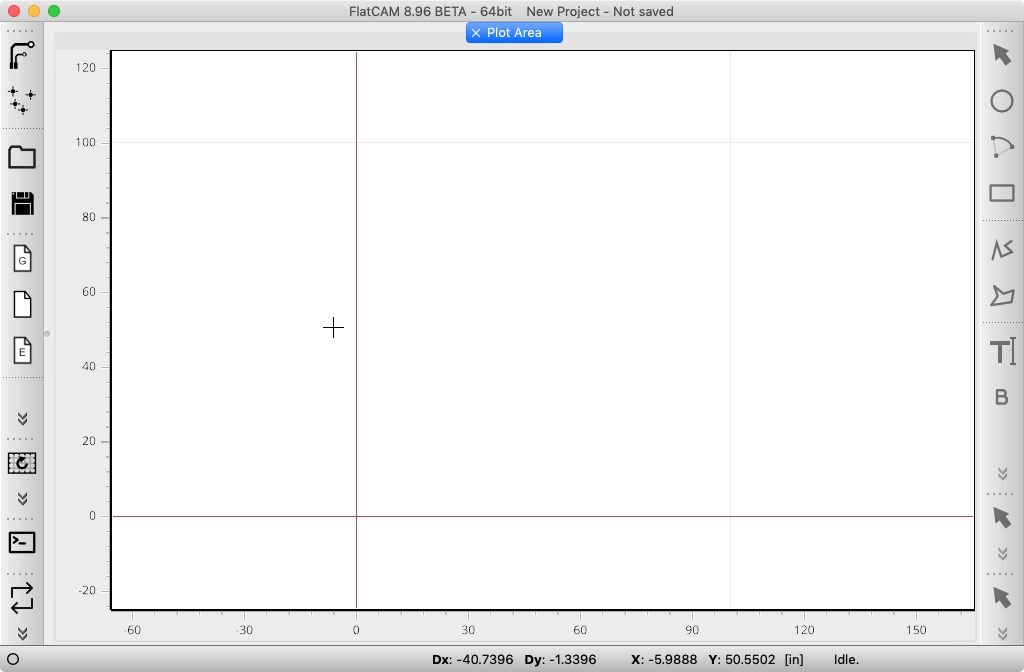
<p>I spent around 6 hours trying to install FlatCAM. I used the provided instructions in the <a href="http://flatcam.org/manual/installation.html#osx">FlatCAM Manual - OSX Installation</a> document without success. Turns out that the instructions in that page are crafted for macOS Sierra, whose release date was back in 2016. Homebrew, which is the recommended tool to install the dependencies upgrades frequently and with such updates in Jan 1st of 2020, it removed Python 2 and any of its related libraries due to Python 2 End of Life. This made it difficult to get FlatCAM installed because version 8.5 is based in Python 2. After a few hours trying to force the installation of old packages in Homebrew I found the <a href="https://bitbucket.org/jpcgt/flatcam/issues/231/mac-os-installation-no-longer-possible">macOS installation no longer possible</a> issue in their repository which stated that version 8.96 did support Python 3 and PyQT5 which are the versions currently (As of March 13 2020) installed by Homebrew so I decided to give it a try and came up with the following list of commands to execute.</p>

<h2 id="installation-process">Installation process</h2>

<p class="notice--info">Note that lines starting with <code class="language-plaintext highlighter-rouge">#</code> are comments and are not meant to be pasted in the terminal but for clarity to the reader</p>

<div class="language-bash highlighter-rouge"><div class="highlight"><pre class="highlight"><code><span class="c"># Go to our Downloads folder</span>
<span class="nb">cd</span> ~/Downloads
<span class="c"># Update Homebrew packages' list</span>
brew update
<span class="c"># Install FlatCAM depencencies Python3, PyQT5, gets and spatialindex</span>
brew <span class="nb">install </span>python pyqt geos spatialindex
<span class="c"># Install Python 3's virtualenv. This is useful not to pollute our global libraries directory</span>
pip3 <span class="nb">install </span>virtualenv
<span class="c"># Download FlatCAM 8.96, currently in beta</span>
wget https://bitbucket.org/jpcgt/flatcam/downloads/FlatCAM_beta_8.96_sources.zip
<span class="c"># Unarchive the files</span>
unzip FlatCAM_beta_8.96_sources.zip
<span class="c"># Change to the FlatCAM directory</span>
<span class="nb">cd </span>FlatCAM_beta_8.96_sources
<span class="c"># Create a Python virtual environment</span>
virtualenv <span class="nb">env</span>
<span class="c"># Activate the virtual environment</span>
<span class="nb">source env</span>/bin/activate
<span class="c"># Install all Python dependencies in the virtual environment</span>
pip3 <span class="nb">install </span>numpy matplotlib rtree scipy shapely simplejson lxml rasterio ezdxf svg.path freetype-py fontTools ortools vispy PyOpenGL PyQT5
<span class="c"># Get out of the virtual environment</span>
deactivate

<span class="c"># Create a script to execute FlatCAM</span>
<span class="nb">cat</span> <span class="o">&lt;&lt;</span><span class="sh">'</span><span class="no">EOF</span><span class="sh">' &gt; FlatCAM
#!/bin/bash

# Make sure the Homebrew executable paths are in the PATH env variable
export PATH='/usr/local/bin:/usr/local/sbin:'"</span><span class="nv">$PATH</span><span class="sh">"

# Find the script's real path
script_directory="</span><span class="si">$(</span> <span class="nb">cd</span> <span class="s2">"</span><span class="si">$(</span> <span class="nb">dirname</span> <span class="s2">"</span><span class="k">${</span><span class="nv">BASH_SOURCE</span><span class="p">[0]</span><span class="k">}</span><span class="s2">"</span> <span class="si">)</span><span class="s2">"</span> <span class="o">&amp;&amp;</span> <span class="nb">pwd</span> <span class="si">)</span><span class="sh">"
if real_script_path="</span><span class="si">$(</span> <span class="nb">readlink</span> <span class="s2">"</span><span class="nv">$script_directory</span><span class="s2">/</span><span class="si">$(</span> <span class="nb">basename</span> <span class="s2">"</span><span class="nv">$0</span><span class="s2">"</span> <span class="si">)</span><span class="s2">"</span> <span class="si">)</span><span class="sh">"
then
    real_script_directory="</span><span class="si">$(</span> <span class="nb">dirname</span> <span class="s2">"</span><span class="nv">$real_script_path</span><span class="s2">"</span> <span class="si">)</span><span class="sh">"
else
    # shellcheck disable=SC2034
    real_script_directory="</span><span class="nv">$script_directory</span><span class="sh">"
fi

exit_code=0

# Enable FlatCAM's virtual env
source "</span><span class="nv">$script_directory</span><span class="sh">"'/env/bin/activate'
# Execute FlatCAM, log the output to FlatCAM.log
python3 "</span><span class="nv">$script_directory</span><span class="sh">"'/FlatCAM.py' &amp;&gt; "</span><span class="nv">$script_directory</span><span class="sh">"'/FlatCAM.log'
# Capture the exit code
exit_code="</span><span class="nv">$?</span><span class="sh">"
# Disable the virtual env
deactivate
# Exit the script with the exit code returned by FlatCAM
exit "</span><span class="nv">$exit_code</span><span class="sh">"
</span><span class="no">
EOF
</span><span class="c"># Create an AppleScript to execute the script we just created</span>
<span class="nb">cat</span> <span class="o">&lt;&lt;</span><span class="sh">'</span><span class="no">EOF</span><span class="sh">' &gt; FlatCAM.scpt
    set script_path to POSIX path of ((path to me as text) &amp; "::") &amp; "FlatCAM"
    do shell script script_path
</span><span class="no">EOF
</span><span class="c"># Compile the AppleScript into an application</span>
osacompile <span class="nt">-o</span> FlatCAM.app FlatCAM.scpt
<span class="c"># Move up one directory (Back to ~/Downloads)</span>
<span class="nb">cd</span> ..
<span class="c"># Move the application folder to the computer's Applications</span>
<span class="nb">mv </span>FlatCAM_beta_8.96_sources /Applications/FlatCAM_beta_8.96
<span class="c"># Open the application from the terminal (This is not needed, you can open it double clicking the file in the Applications folder)</span>
open /Applications/FlatCAM_beta_8.96/FlatCAM.app
</code></pre></div></div>

<p>Once you're done, a window like the following will appear:</p>

<figure>
    <a href="/assets/images/posts/2020-03-13-flatcam-beta-8.96-installation-in-macos-mojave-10.14/001.jpg"><img src="/assets/images/posts/2020-03-13-flatcam-beta-8.96-installation-in-macos-mojave-10.14/001.jpg" /></a>
    <figcaption>FlatCAM 8.86 Running in macOS Mojave</figcaption>
</figure>

<h2 id="caveats">Caveats</h2>

<p>I'm not sure why, but sometimes, when quitting the program, something fails and errors are returned. I'll have to live with it but if someone can help debug the issue that would be great</p>

<h2 id="resources">Resources</h2>

<ul>
  <li>https://bitbucket.org/jpcgt/flatcam/src</li>
  <li>http://flatcam.org/manual/installation.html#osx</li>
  <li>https://gist.github.com/natevw/3e6fc929aff358b38c0a</li>
  <li>https://wolfgang.reutz.at/2017/04/25/installing-flatcam-on-macos-sierra/</li>
  <li>https://bitbucket.org/jpcgt/flatcam/issues/231/mac-os-installation-no-longer-possible</li>
  <li>https://www.cyberciti.biz/faq/mac-osx-applescript-run-shell-script/</li>
  <li>https://superuser.com/a/670898/968840</li>
  <li>https://apple.stackexchange.com/a/255593/176108</li>
</ul>]]></content><author><name>Miguel Sánchez Villafán</name></author><category term="Manufacturing" /><category term="Electronics" /><category term="FlatCAM" /><category term="flatcam" /><category term="python" /><category term="mojave" /><category term="macos" /><category term="homebrew" /><summary type="html"><![CDATA[This post intends to be a guide to install FlatCAM 8.86 in macOS Mojave 10.14]]></summary></entry></feed>